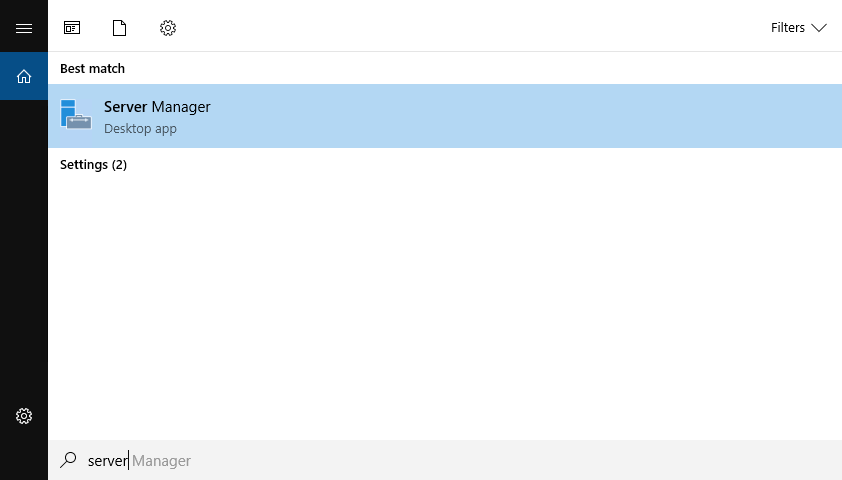
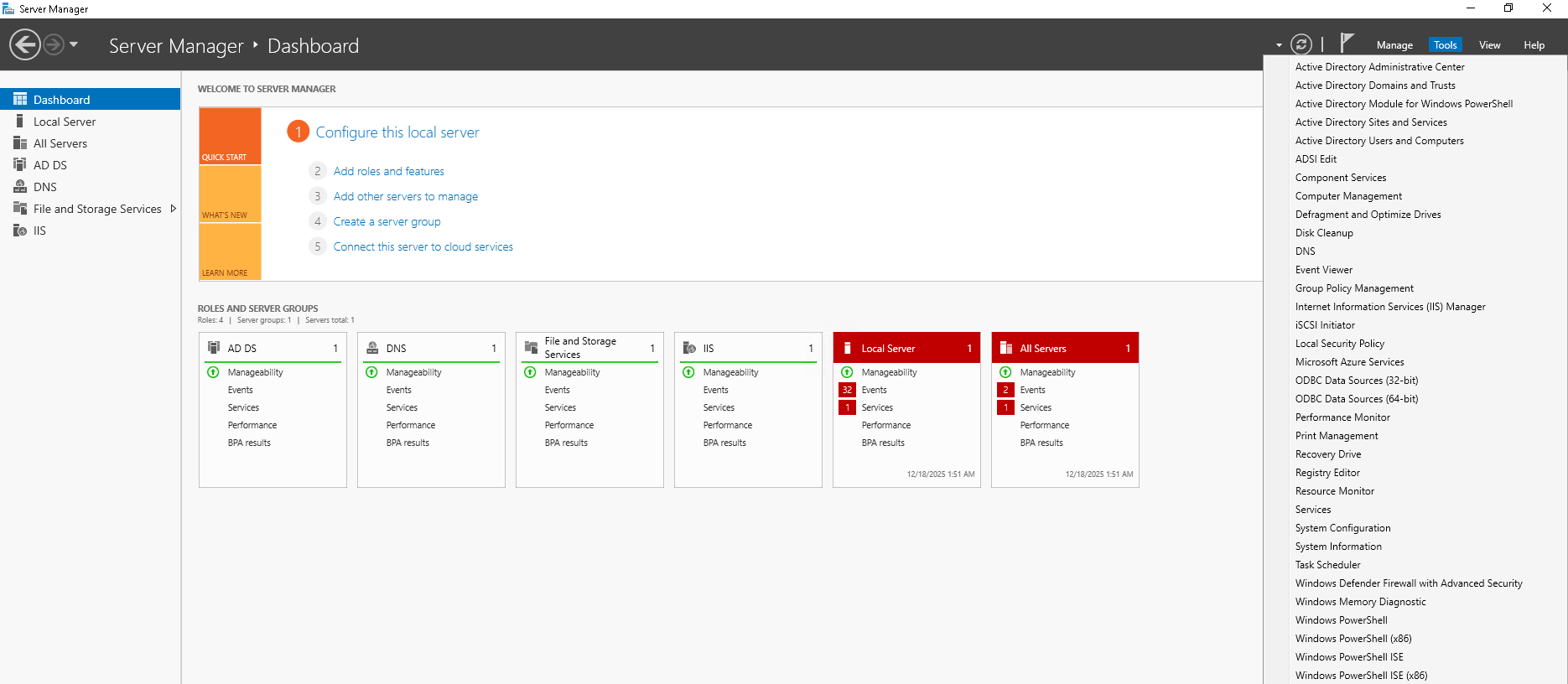
Continuem anant a “Tools” i seguim per “Group Policy Management”
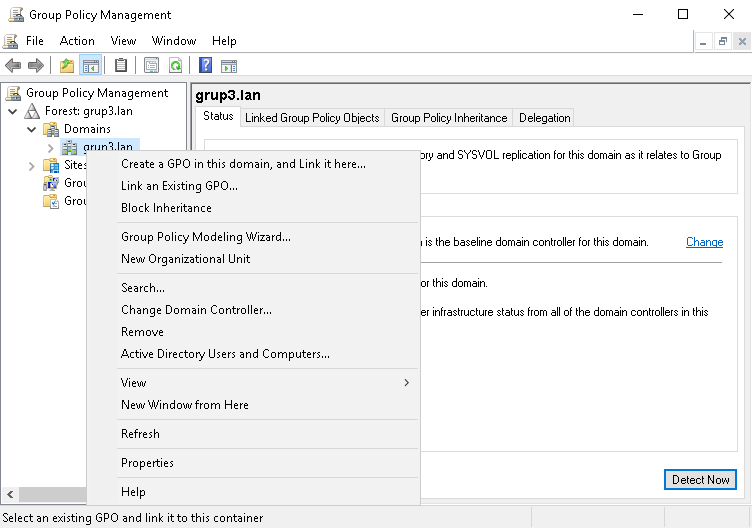
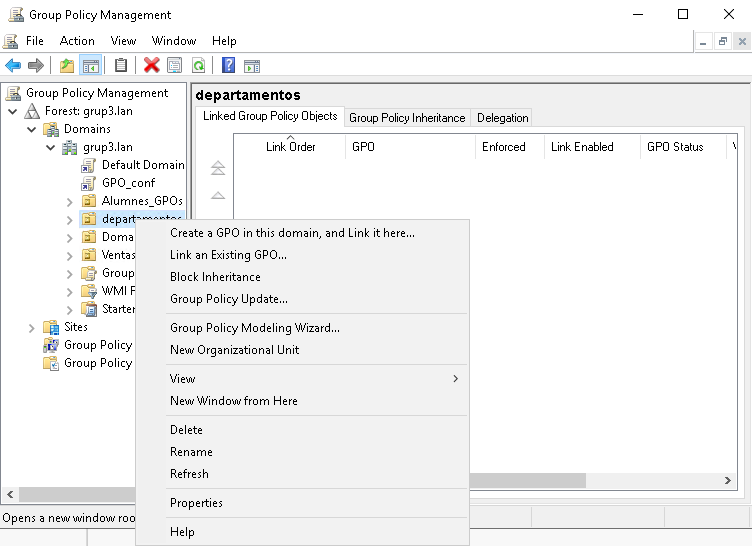
En el grup del nostre domini que hem creat li creem una GPO donant-li a “Create a GPO in this domain, and Link in here…”
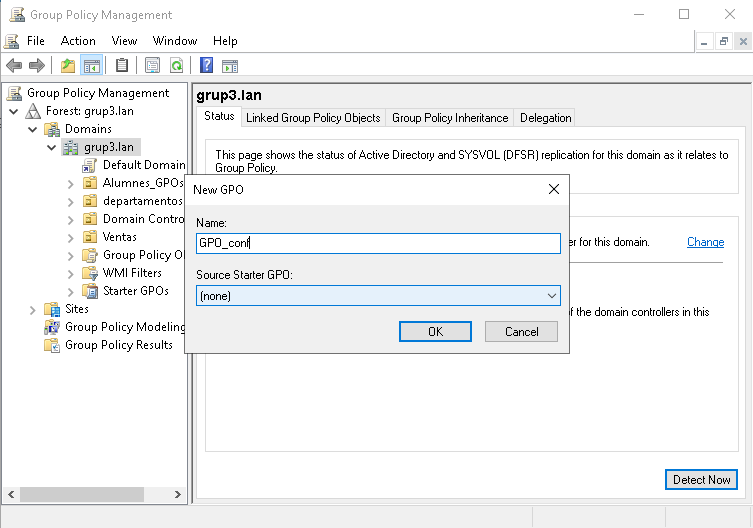
Li posem el nom a la nostra GPO
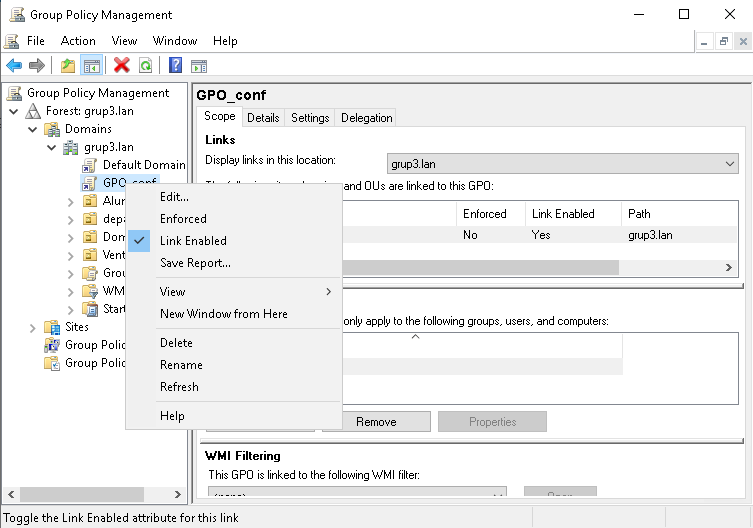
Donem clic dret a la nostra GPO creada i li anem a “Edit…”
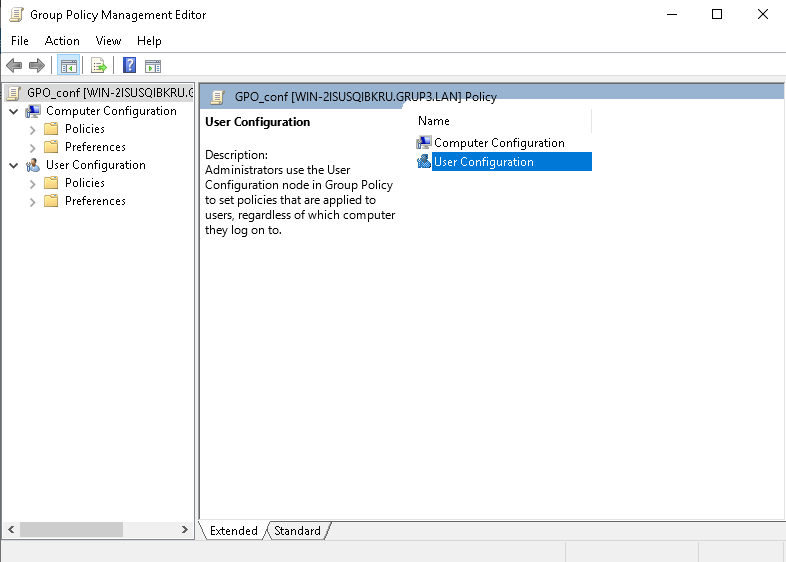
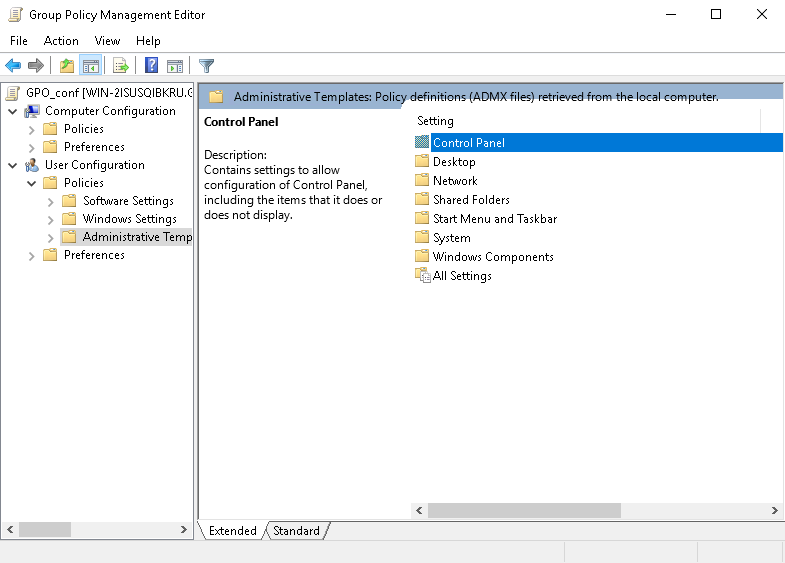
Després anem a “User Configuration”
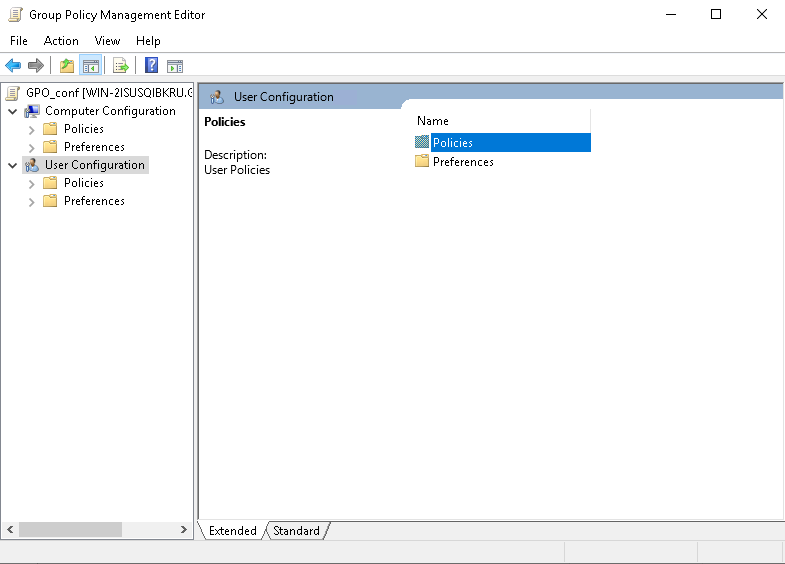
Continuem per “Policies”
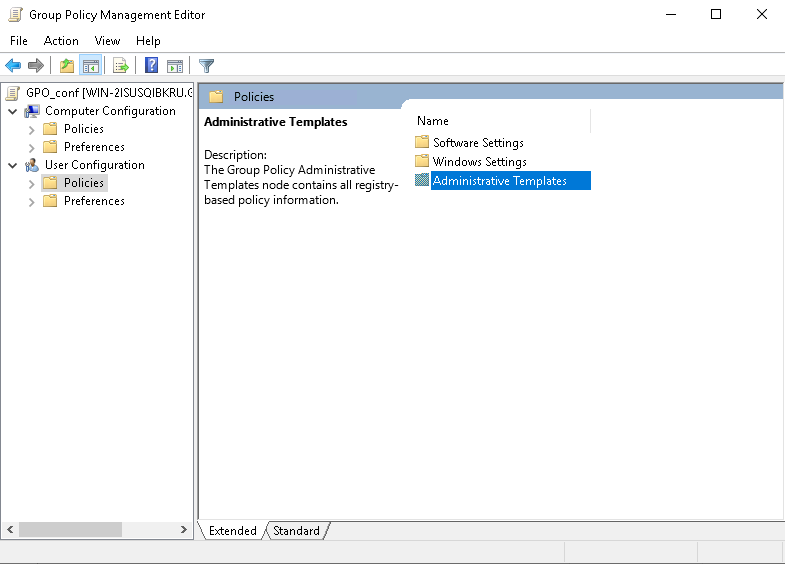
Seguim per “Administrative Templates”
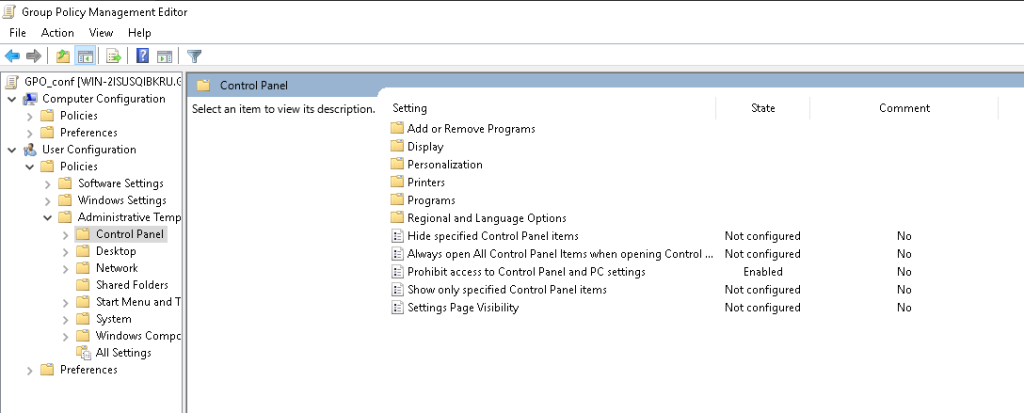
Després a “Control Panel”
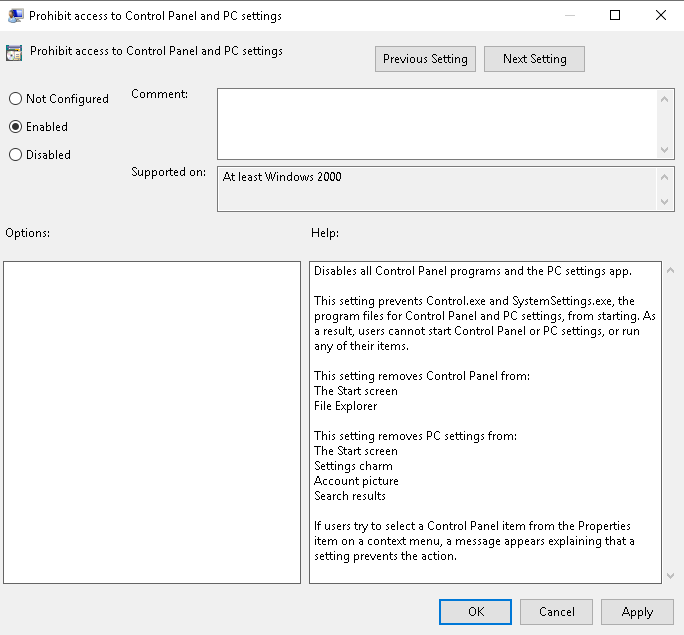
Activem l’opció de “Prohibit access to Control Panel and PC settings”
Li donem a “Enabled”
Ara assignem la nostra GPO a la carpeta dels nostres usuaris
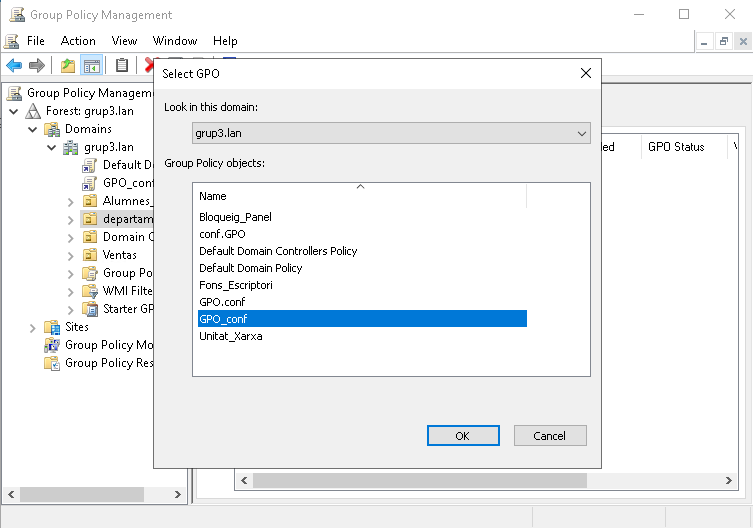
Per acabar, seleccionem la GPO que acabem de crear
We use cookies to ensure that we give you the best experience on our website. If you continue to use this site we will assume that you are happy with it.